BACK
Carma
Your vehicle. In focus.
Carma started with a friend’s car and an OBD adapter. He had bought the adapter to check error codes, but the apps we tried felt dated, laggy, and full of bugs. One evening, I sat down to design and build a better alternative. I kept working until 2 a.m. That first build became Carma, a project I’m continuing to develop.
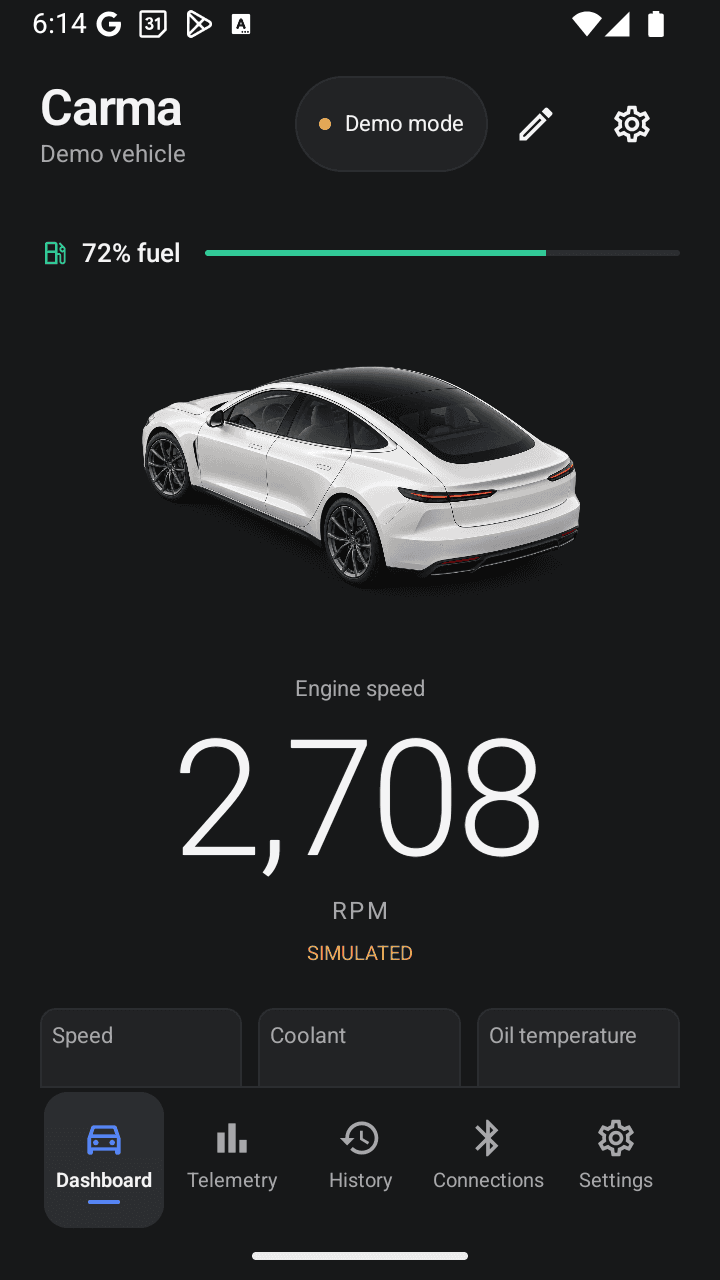
The idea was to turn raw vehicle data into a clear, usable dashboard. Built for Android phones and compatible Android head units, Carma brings speed, RPM, fuel, coolant temperature, and other available readings into one connected experience: Connect → Monitor → Explore → Review.
The design challenge was to make a technical tool feel approachable. A restrained dark interface, large numeric readings, quiet supporting labels, and blue accents keep the important information easy to find. Landscape layouts give the dashboard room to breathe, while portrait layouts make the same information available on a phone.
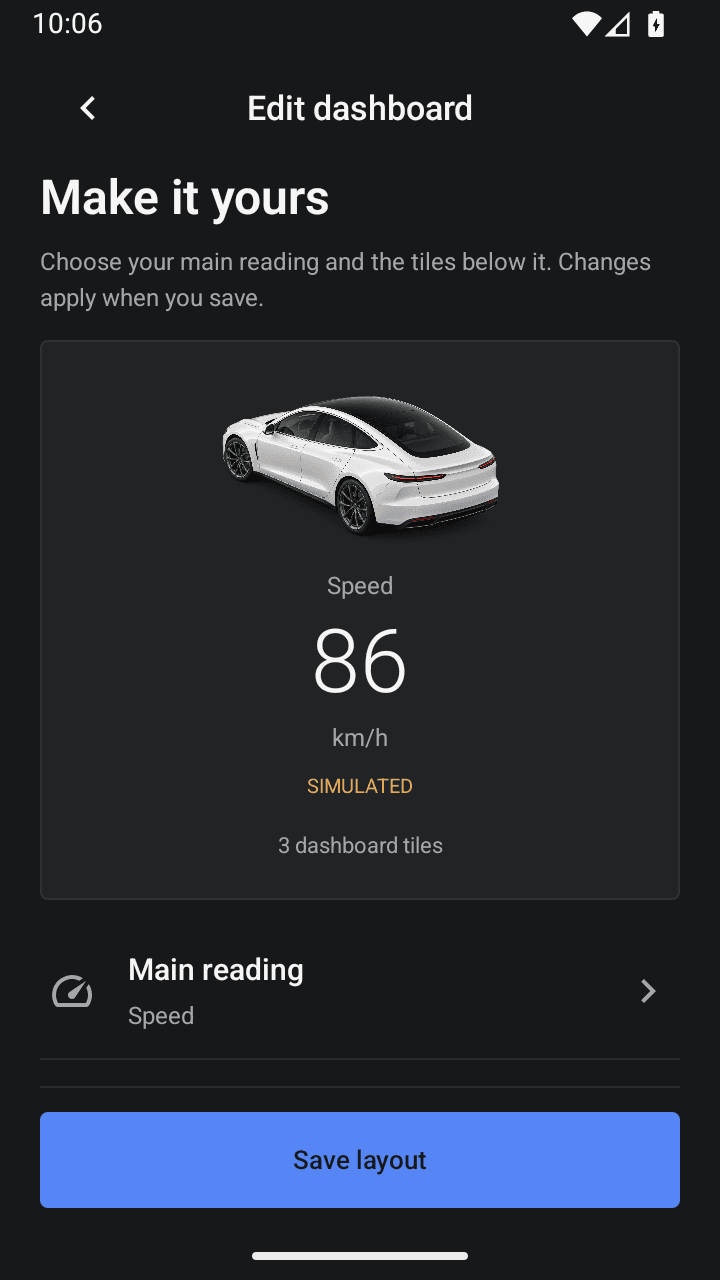
The dashboard adapts to what each person wants to see. Users can choose a primary reading, add or remove supporting metrics, reorder tiles, and control the fuel bar, vehicle illustration, and drive summary. Changes are previewed before saving, and the chosen layout stays on the device.
All eleven telemetry metrics have dedicated detail screens with current values, recent trends, units, and source information. Missing or stale data has its own state, keeping it distinct from a genuine zero. When a vehicle does not expose a reading, the app shows it as unavailable.

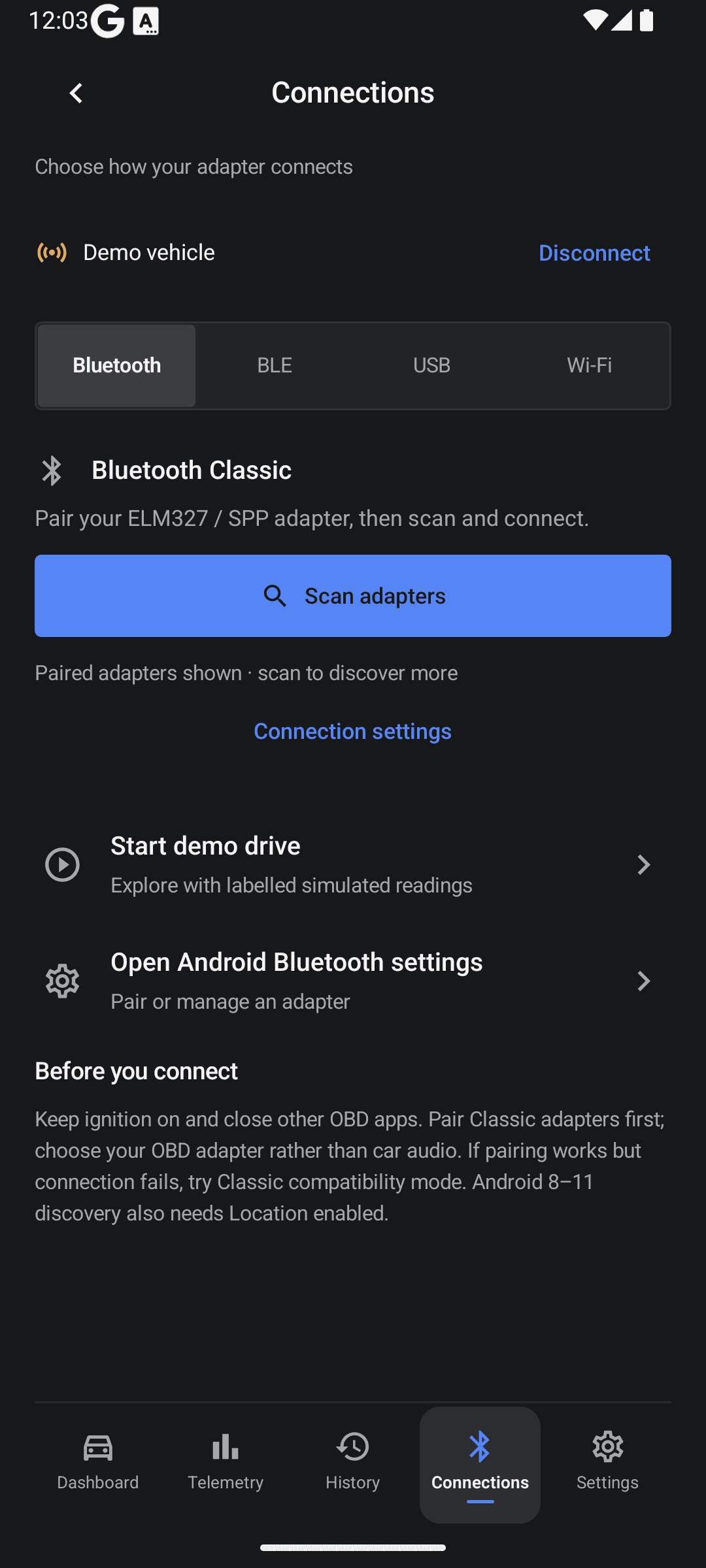
Bluetooth Classic and BLE, alongside USB serial and Wi-Fi, connect the interface to an OBD adapter. Users can configure adapter profiles and read stored engine error codes through the same session. Trips and connection logs can be exported; recordings stay on the device unless the user shares them.
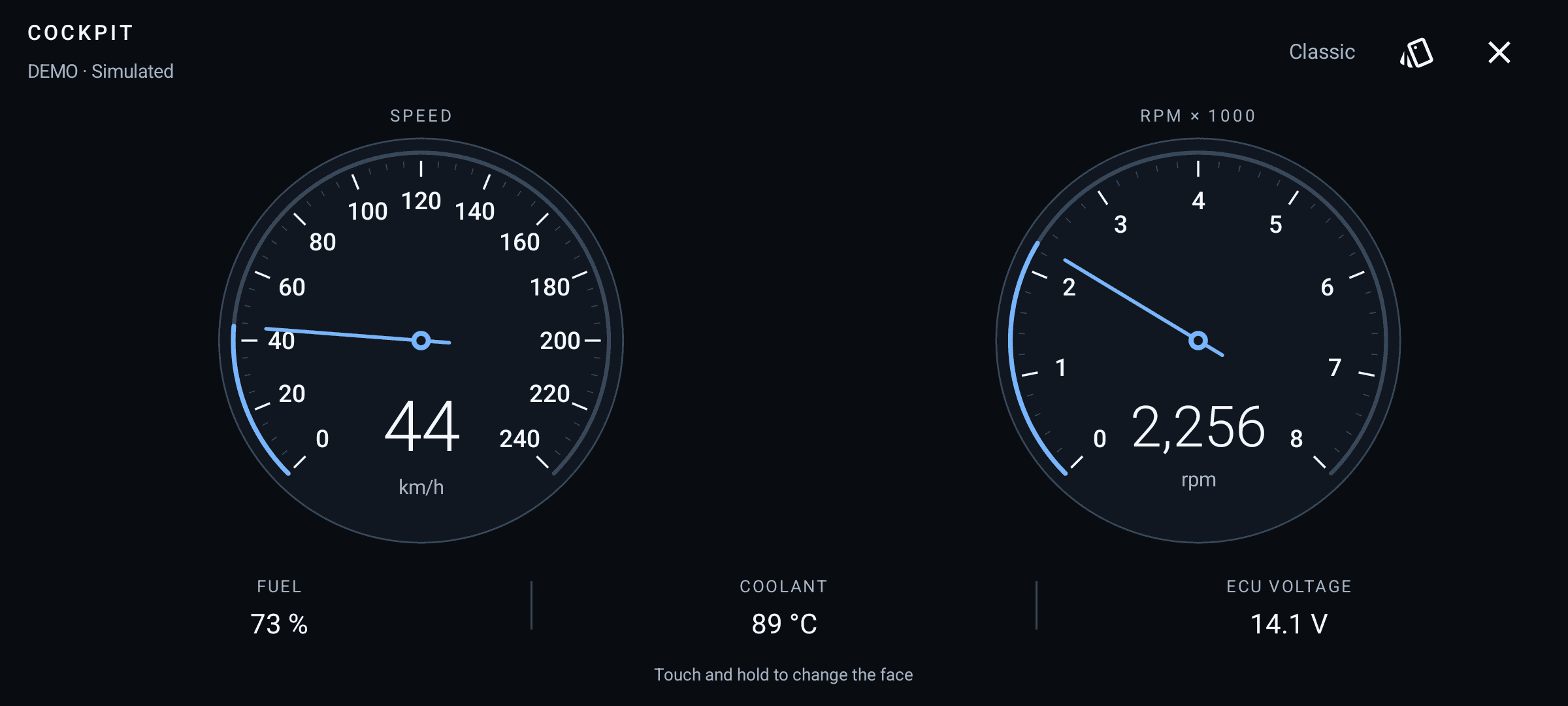
Cockpit takes the dashboard into a fullscreen landscape instrument cluster. Classic uses twin analogue-style dials, Minimal puts a large speed readout first, and Antique brings ivory, brass details, and serif numerals. Touching and holding opens a swipeable face picker, while visible controls make choosing a face and leaving the mode easy.
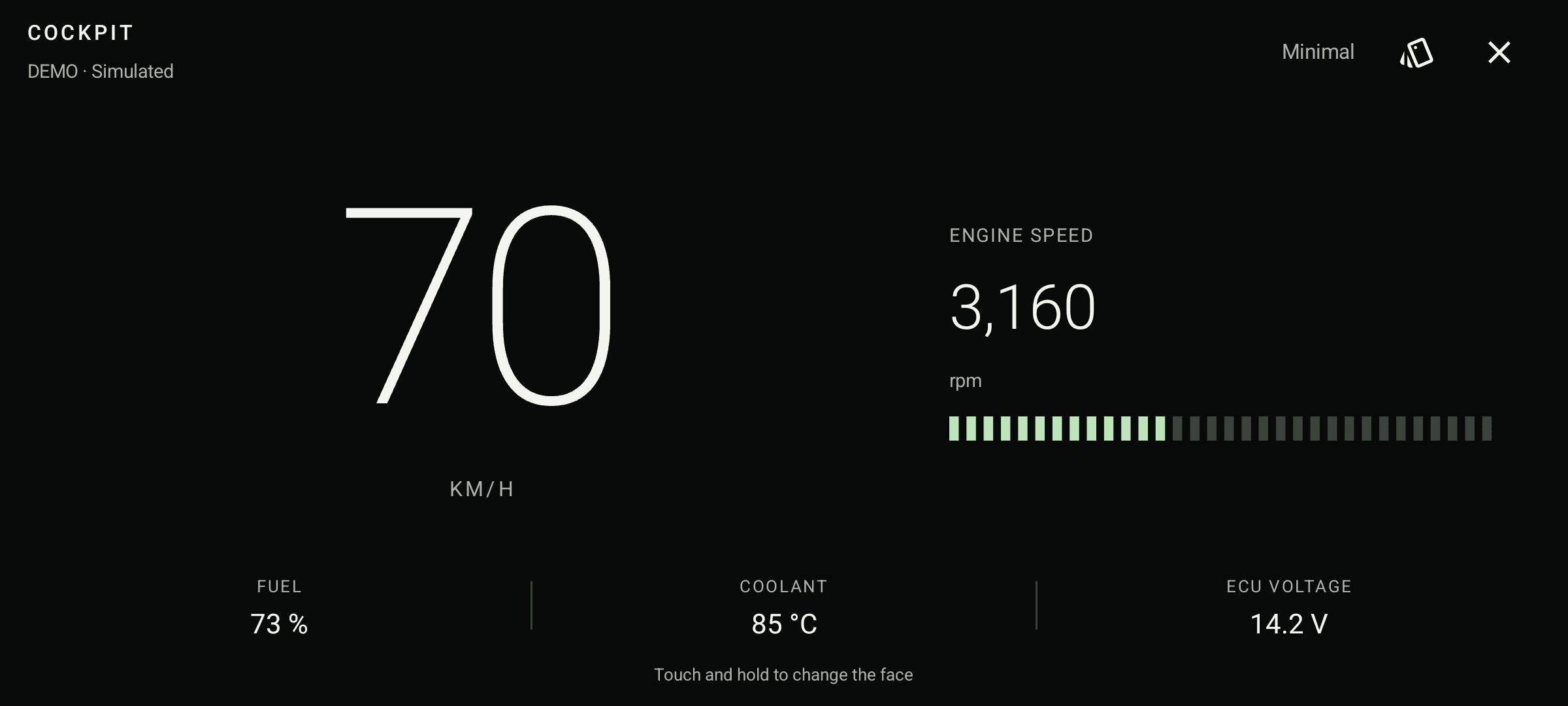

Carma is still under development. The working Android build brings the dashboard, telemetry, connections, trip history, and Cockpit together. A separate Android Auto developer preview uses host-rendered screens. These images show the implemented app with clearly labelled simulated readings.
More